Turn Photo Into a Magazine Cover With AI: A Pro Guide
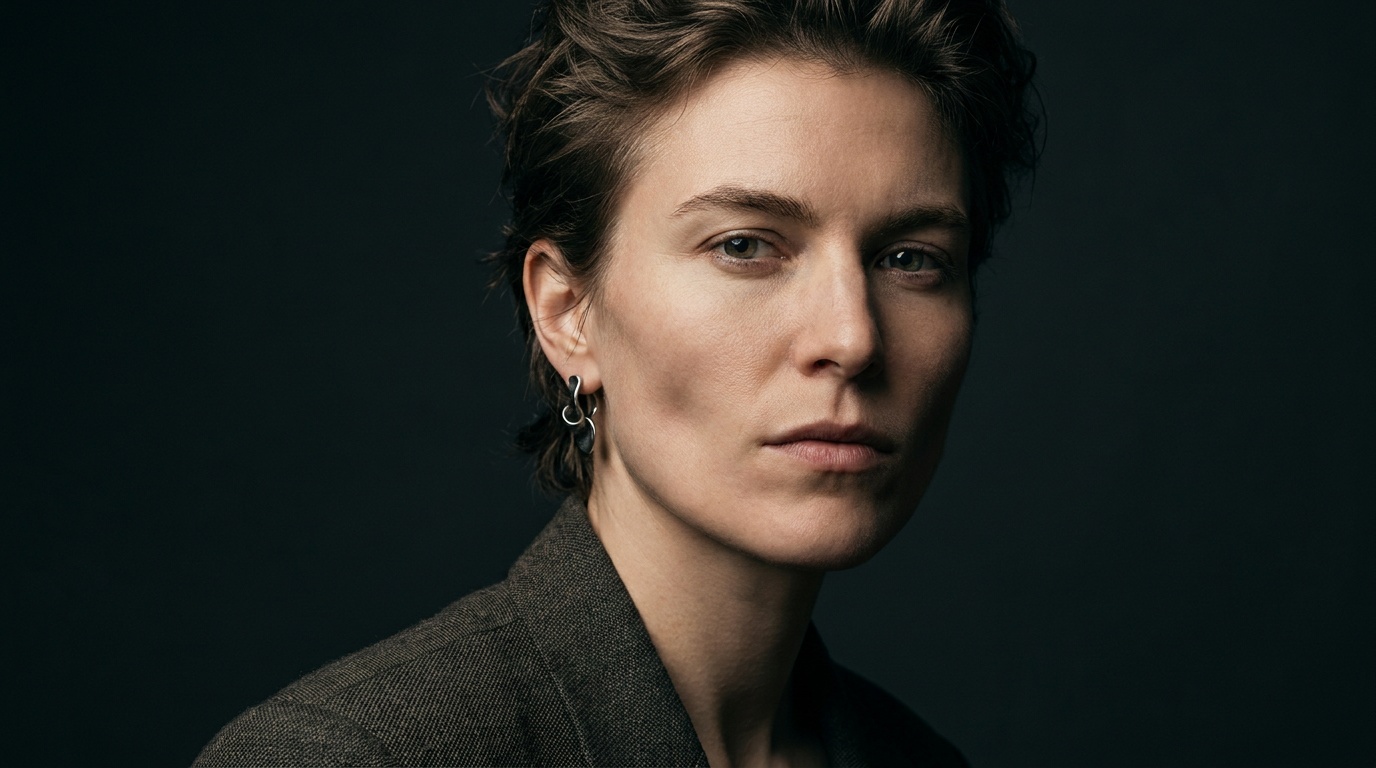
Ever dreamed of seeing your face on the cover of a magazine? What was once a fantasy is now easily achievable, and you don't need a team of photographers and graphic designers. Thanks to new creative tools, you can realistically turn a photo into a magazine cover with AI, transforming a simple portrait into a powerful statement piece.
The Anatomy of a Striking Magazine Cover
Before you jump into an app, let's deconstruct what makes a cover photo truly iconic. As a portrait photographer, I can tell you it’s a deliberate craft. Great covers aren't just snapshots; they are carefully composed images designed to grab attention and tell a story in a single glance.
Think about the legendary covers of magazines like TIME, Vogue, or National Geographic. They all share three core elements:
- Connection: The subject almost always makes direct eye contact with the viewer. This creates an immediate, personal connection. Their expression—be it confident, vulnerable, or joyful—sets the entire mood of the cover.
- Clarity: The composition is clean and uncluttered. The subject is the undeniable hero of the image. There's usually plenty of “negative space” (empty area) around them, which is crucial for adding text without creating a chaotic mess.
- Context: The lighting, wardrobe, and pose all work together to communicate the magazine's genre and the theme of the cover story. A Forbes cover looks and feels different from a Women's Health cover for a reason.
Understanding these principles is the first step. The AI can do the technical work, but your creative choices will determine if the final result looks like a professional publication or a cheap gimmick.
Choosing the Right Photo: Your Raw Material is Everything
The most common mistake people make is choosing the wrong source photo. The old adage "garbage in, garbage out" has never been more true than with AI tools. An AI can't invent detail that isn't there. You must provide it with high-quality raw material.
Technical Checklist for Your Source Photo
Before you even consider the artistic side, make sure your photo meets these technical minimums:
- High Resolution: Use the original, full-size file from your camera or phone. Never use a screenshot or a compressed version from social media. The AI needs as much pixel data as possible to work its magic without creating a blurry, artifact-ridden mess.
- Good Lighting: The best light is soft, even, and comes from the front. A classic photographer's trick is to face a large window on an overcast day. Avoid harsh, direct sunlight that creates deep shadows, or the direct on-camera flash that flattens your features.
- Sharp Focus: The eyes must be perfectly in focus. If the eyes are even slightly soft, the entire portrait will feel off. Zoom in on your photo to check—if the eyes are sharp, you're good to go.
Artistic Checklist for Your Source Photo
Once the technicals are sorted, look at the photo with a critical, editorial eye:
- Engaging Expression: Does your expression look intentional? A blank stare is rarely compelling. Aim for a hint of a smile, a thoughtful gaze, or a look of quiet confidence. Practice in a mirror to see what feels natural.
- Clean Background: The background should be as simple as possible. A plain wall, a seamless paper backdrop, or an empty sky is ideal. While AI can remove backgrounds, it does a much cleaner job when the subject is clearly separated from their surroundings.
- Classic Pose: A head-and-shoulders shot is the gold standard for covers. Ensure your head isn't cut off at the top, and avoid poses where your hands are cropped at an awkward spot like the wrist.
Avoid the temptation to crop yourself out of a group photo. The resolution will be too low, the lighting will be uncontrolled, and the composition will almost certainly be wrong.
How to Turn Your Photo Into a Magazine Cover with AI
Now for the fun part. Once you have a strong portrait, the process of creating the cover is methodical. Here’s a step-by-step approach to get a realistic result.
Step 1: Start with a Studio-Quality Portrait
This is the secret that separates the pros from the amateurs. Most of us don't have access to a photography studio, but that no longer matters. The best starting point for a magazine cover is a photo that already has professional lighting and composition.
Instead of struggling with a casual selfie, you can use a service like Portretto to generate a whole set of studio-quality headshots from a handful of your everyday photos. It analyzes your facial features and produces portraits in various styles—from dramatic black and white to perfectly lit business headshots. This gives you a flawless base image that already looks like it was shot for a magazine, saving you 90% of the work.
Step 2: Choose an AI Cover Generator Tool
With your high-quality portrait in hand, you'll need a tool to assemble the cover. There are many apps and web-based platforms with AI features that are perfect for this. Look for tools that allow you to upload your own image and offer templates or robust text editing features. The goal is to place your photo into a magazine layout, not generate a random person's face.
Step 3: Position Your Portrait with Purpose
Don't just slap your photo in the middle. Where you place it matters.
- Leave Headroom: Always leave space above your head for the magazine's title, or "masthead." A common mistake is to have the title clash with the subject's hair or face.
- Use the Rule of Thirds: Imagine a 3x3 grid over your canvas. Placing your eyes along the top horizontal line often creates a more dynamic composition than centering them perfectly.
- Consider Negative Space: Position your body to one side to create empty space on the other. This is where you'll place your text headlines, known as "cover lines."
Step 4: Add Realistic Text Elements
Text is what sells the illusion. Pay attention to the details:
- Masthead (Title): This is the biggest text element. Choose a bold, classic font. Serif fonts like Playfair Display or Garamond feel traditional and authoritative, while sans-serif fonts like Helvetica or Montserrat feel modern and clean.
- Cover Lines (Headlines): Use a mix of font weights and sizes to create a visual hierarchy. The most important headline should be the largest. Use a clean, readable sans-serif font for these.
- Details: For ultimate realism, add a small barcode in one of the bottom corners and a date/issue number near the top.
Step 5: Unify the Final Image
Your photo and the text are separate elements. The final step is to make them look like they belong together. You can often do this with a subtle filter or color grade applied to the entire image. A slight adjustment to the brightness and contrast of your photo can also help it sit better within the design.
Upload a photo, pick a look and get your portrait in a minute. Your face stays yours.
Try itStyling Your Shot for Different Magazine Genres
A great cover tells you its genre instantly. You can style your photo to match the aesthetic of different types of magazines. Here’s a quick guide from a photographer's perspective.
For a Business Magazine (e.g., Forbes, Inc.)
- Wardrobe: Think structure and authority. A well-fitting blazer, a crisp button-down shirt, or a simple, elegant dress in neutral or dark colors (navy, charcoal, black) works perfectly.
- Pose: Project confidence. Arms crossed, a slight lean forward, or hands-on-hips are classic power poses. Your expression should be direct and assured.
- Lighting: Often more dramatic. Look for lighting that creates a bit of shadow and shape, like Rembrandt lighting (a small triangle of light on the cheek opposite the main light source). This adds a sense of gravitas.
For a Fashion Magazine (e.g., Vogue, Bazaar)
- Wardrobe: This is your chance to be expressive. Bold colors, interesting textures, and unique silhouettes are encouraged. It’s less about professionalism and more about personal style.
- Pose: Break the rules. Try something more angular, dynamic, or even a little unconventional. The goal is to create an interesting shape. A look away from the camera can also be very effective.
- Lighting: Can range from hard and graphic to soft and dreamy. Experiment with whatever feels right for the outfit and mood.
For a Lifestyle/Wellness Magazine (e.g., Men's Health, Shape)
- Wardrobe: Casual and approachable is key. Think athleisure wear, comfortable knits, or simple, high-quality basics like a t-shirt and jeans.
- Pose: Relaxed and natural. A genuine laugh, a stretch, or a simple, friendly stance. The feeling should be energetic and positive.
- Lighting: Bright, clean, and airy. This style often mimics beautiful natural sunlight to convey health and vitality.
Common Mistakes When Creating AI Magazine Covers
It’s easy to make a few wrong turns. Here are the most common pitfalls I see and how to steer clear of them.
| Mistake | The Problem | The Fix |
|---|---|---|
| The "Floating Head" | Using a photo with a poorly removed background. The edges look jagged and it feels completely disconnected from the cover. | Start with a photo taken against a plain wall. Use a high-quality background removal tool, or better yet, generate a portrait with a clean studio background to begin with. |
| Font Frenzy | Using too many different fonts, colors, and styles. The text becomes unreadable and looks like a ransom note. | Simplicity is key. Stick to a maximum of two font families—one for the masthead, one for the cover lines. Use different weights (bold, regular, light) of the same font for variation. |
| Ignoring Negative Space | The photo is cropped so tightly that there's no room for text. The masthead covers your forehead and the headlines are crammed in the margins. | When taking or choosing your photo, think about composition. Leave breathing room around yourself. When placing it in your design, don't be afraid to scale it down to create space. |
| Mood Mismatch | Placing a bright, sunny beach photo on a template for a serious business magazine. The tone is completely off. | Ensure the mood, lighting, and wardrobe of your photo align with the magazine genre you're emulating. This is another area where generating a specific style of portrait with a tool like Portretto can give you the perfect starting point for your chosen theme. |
Creating a magazine cover of yourself is a powerful way to visualize your goals, celebrate a milestone, or just have fun with your digital identity. By combining a photographer's eye with the power of AI, you can create something that looks polished, professional, and completely real.
FAQ
Can I use my phone to take a photo for a magazine cover?
Yes, absolutely. Modern phone cameras are excellent, but you need to control the conditions. Use the back camera (it's higher quality), turn off the flash, and stand facing a window for soft, flattering light. Make sure the lens is clean and the eyes are in sharp focus.
What is the best AI app to turn a photo into a magazine cover?
There are many great apps like Canva, Fotor, and Picsart that offer magazine cover templates and AI features. The "best" one depends on your needs. For the most realistic result, focus on starting with a high-quality portrait first, then use any of these apps to add the text and layout.
How do I make my AI magazine cover look realistic?
Realism comes from the details. Use a high-resolution, well-lit photo, leave plenty of negative space for text, and stick to a clean, simple font scheme (2-3 fonts max). Adding small details like a barcode and issue date also enhances the authenticity.
Do I need Photoshop to create a magazine cover from my photo?
No, not anymore. While Photoshop is the professional standard, many user-friendly web and mobile apps now use AI to offer powerful editing features. You can achieve a professional-looking result without any advanced technical skills.
Can I legally use a real magazine's name on my fake cover?
It's best to avoid using trademarked names like "Vogue" or "TIME" for anything you plan to share publicly, as it can be a trademark infringement. For personal fun, it's less of an issue, but creating your own magazine title is a safer and more creative option.