LinkedIn Photo Background Ideas: 10 Pro AI-Generated Looks

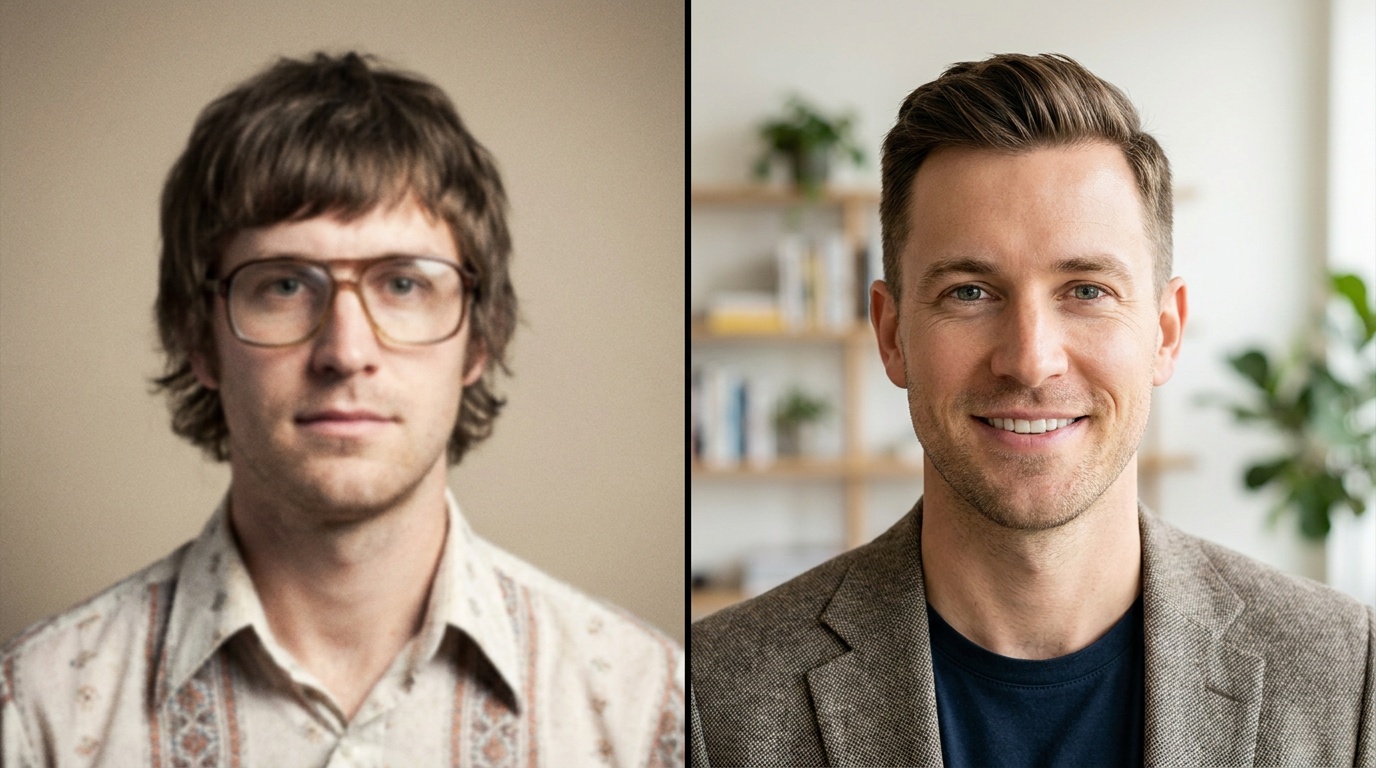
Your LinkedIn profile picture is your digital handshake, often the very first impression you make on a recruiter, client, or future colleague. While your expression and attire are crucial, the background sets the entire tone. We'll explore the best backdrops for your profile, including some powerful LinkedIn photo background ideas AI can help you achieve, turning a simple selfie into a statement of professionalism.
Why Your LinkedIn Background Matters More Than You Think
As a portrait photographer, I’ve seen firsthand how a background can make or break a headshot. It’s not just empty space behind you; it’s a visual cue that tells a story. A thoughtful background reinforces your personal brand, while a poor one can instantly undermine your credibility.
A distracting background—a messy room, a vacation snap, or the ghost of a cropped-out friend—shouts unprofessionalism. It suggests you didn't put thought or effort into your profile. Conversely, a clean, professional background signals that you are detail-oriented, serious about your career, and understand the importance of presentation.
The right background complements you, removes distractions, and helps you project the exact image you want: competent, approachable, creative, or authoritative. It’s a strategic choice that supports the narrative you’re building for your career.
The Foundation: Nailing the Source Photo
Before you can even think about the background, the subject—you—has to be captured perfectly. The quality of your final headshot, whether taken by a pro or generated by AI, depends entirely on the quality of the source image. Garbage in, garbage out.
Here’s a simple, photographer-approved checklist for taking a selfie that’s perfect for transformation.
How to Take the Perfect Headshot Selfie
- Find the Light: Light is everything. The most flattering light is large, soft, and in front of you. Stand facing a large window during the day. The diffused daylight will smooth out skin and eliminate harsh shadows. Avoid direct sunlight, which creates hard shadows and makes you squint, and overhead ceiling lights, which create unflattering shadows under your eyes and nose.
- Choose Your Clothes: Opt for solid colors. Jewel tones (like emerald, sapphire, or burgundy) and deep neutrals (like navy or charcoal) are almost universally flattering. Avoid busy patterns, large logos, or anything that will distract from your face. A simple blazer, collared shirt, or blouse is a timeless choice that adds a touch of professionalism.
- Position and Pose: Hold your phone at or slightly above your eye level—this is the most flattering angle. Now, turn your body about 45 degrees away from the camera, and then turn your head back to face the lens. This classic portraiture pose creates a dynamic and slimming line. Keep your posture straight and your shoulders relaxed.
- Master Your Expression: A genuine expression connects with the viewer. Don't just say "cheese." Think of something that makes you genuinely happy or proud—a recent accomplishment or a funny memory. This will create a natural, confident smile that reaches your eyes. Take a few shots with different subtle expressions.
- The Photo to Upload: The best source image is a clear, well-lit shot from the chest up. Stand against a plain, neutral-colored wall. This gives an AI tool a clean slate to work with, making it easier to separate you from the background and place you in a new, professional setting.
Classic & Timeless Backgrounds for Any Profession
These options are the gold standard for a reason. They are clean, universally professional, and put all the focus where it belongs: on you. They are impossible to get wrong and work for every industry, from finance to fine arts.
Solid Neutral Colors
A solid, neutral backdrop is the quintessential studio look. It’s clean, sophisticated, and timeless. It eliminates all visual clutter, ensuring a potential employer or client is focused solely on your confident and professional expression.
- Charcoal or Medium Gray: This is my go-to recommendation for most clients. It’s less stark than pure black and makes skin tones look great. It conveys seriousness and sophistication without being somber.
- Off-White or Light Gray: A modern, airy, and clean alternative to stark white. A pure white background can sometimes look cheap or be difficult to expose correctly, while a soft off-white feels more high-end and is more forgiving.
- Deep Navy Blue: This color conveys trust, stability, and authority. It's an excellent choice for professionals in law, finance, and corporate leadership roles.
Subtle Textures
If a solid color feels too plain, a subtle texture can add a touch of depth and visual interest without being distracting. Think of the background in a high-end magazine portrait. It's rarely a flat color.
Examples include a hand-painted canvas look, a brushed metal texture, or a very subtle gradient that is slightly darker at the edges. This vignetting effect naturally draws the viewer's eye toward the center of the frame—your face.
Upload a photo, pick a look and get your portrait in a minute. Your face stays yours.
Try itContextual Backgrounds: Telling Your Professional Story
Sometimes, you want your background to say a little more about who you are and what you do. A contextual background can add a layer of narrative to your portrait, subtly reinforcing your industry or professional vibe.
The absolute key to making these work is a shallow depth of field—in other words, the background must be beautifully blurred (an effect photographers call bokeh). A sharp, detailed background is distracting. The blur ensures you remain the focal point while the background just provides context.
The Blurred Modern Office
This is a fantastic option for anyone in a corporate or tech environment. It suggests you are part of a professional, collaborative, and modern workplace. Look for backgrounds with clean lines, interesting architectural details, and perhaps a touch of greenery. The soft, out-of-focus lights and shapes of an office behind you look polished and dynamic.
The Bookshelf or Study
For academics, authors, lawyers, or anyone whose profession is built on knowledge, a blurred bookshelf background is a powerful choice. It instantly conveys expertise, intellect, and authority. The trick is to ensure the bookshelf is neat and aesthetically pleasing, not a cluttered mess. Again, a heavy blur is essential to make this work.
The Outdoor Setting
An outdoor background can make you seem more approachable, creative, and relaxed. This isn't a vacation photo; it's a professional portrait taken in an outdoor environment. The best-case scenario is using the soft, warm light of the "golden hour" (the hour after sunrise or before sunset). A blurred backdrop of a clean urban street, modern architecture, or a park can work wonderfully for entrepreneurs, creatives, and coaches.
AI-Generated LinkedIn Photo Background Ideas
Achieving these perfect backgrounds used to require a studio, expensive equipment, and a professional photographer. Now, AI can generate them for you with stunning realism. Instead of trying to find the perfect office and a photographer with the right lens to create that beautiful blur, you can use a tool like Portretto. You upload a simple selfie taken against a plain wall, and it can place you in a variety of hyper-realistic settings, complete with professional lighting that matches the new background.
Here are 10 specific AI-generated LinkedIn photo background ideas to consider:
- Charcoal Gray Studio: The ultimate classic. Professional, sophisticated, and perfect for any industry.
- Off-White Wall: Modern, clean, and minimalist. Great for tech, design, and creative fields.
- Deep Navy Texture: Conveys trust and authority. An excellent choice for executives and consultants.
- Warm Wooden Panels: Projects approachability and warmth. Ideal for therapists, coaches, and real estate agents.
- Textured Concrete Wall: Modern, edgy, and confident. Works well for architects, startup founders, and artists.
- Bright & Airy Blurred Office: Suggests innovation, collaboration, and a positive work environment. Perfect for tech, marketing, and HR.
- Moody & Dim Blurred Office: Conveys focus, seriousness, and executive presence. A strong choice for finance or legal professionals.
- Urban Golden Hour: A blurred cityscape at sunset. Looks aspirational, dynamic, and modern. Great for entrepreneurs.
- Subtle Library/Bookshelf: Reinforces expertise and intellectual depth without looking stuffy.
- Classic Black & White: A bold and artistic choice. It strips away all color, focusing entirely on your expression, character, and professional presence.
Common Background Mistakes to Avoid
Finally, a quick rundown of mistakes I constantly see people make with their LinkedIn photos. Avoiding these is just as important as choosing the right background.
- The Busy Background: Your living room, a kitchen, a crowded event, or a tourist landmark. Anything that competes with your face for attention is a bad choice.
- The Car Selfie: The seatbelt, headrest, and weird lighting from the windows are instantly recognizable and look unprofessional. It implies you couldn't be bothered to take a proper photo.
- The Awkward Crop: We can always tell when you’ve cropped someone else out of a wedding or party photo. The sliver of someone's shoulder or ear is a dead giveaway.
- Bad Lighting: A background that is too dark, too bright, or has weird color casts will make your entire photo look low-quality.
- Using a Landscape Photo: Your circular profile picture is for your face. Your rectangular banner image is the place for a wider, contextual shot of your workplace, city, or industry.
FAQ
What is the best background color for a professional headshot?
Charcoal gray, medium gray, and off-white are the best all-around background colors for a professional headshot. They are neutral, timeless, and put all the focus on your face without being distracting. Deep navy blue is also an excellent choice to convey trust and authority.
Should my LinkedIn photo have a plain background?
Yes, a plain or subtly blurred background is ideal for a LinkedIn photo. The goal is to eliminate distractions and keep the focus on you. A solid neutral color, a subtle texture, or a heavily blurred office or outdoor scene all work well to create a professional look.
Can I use an AI-generated photo on LinkedIn?
Yes, you can use an AI-generated headshot on LinkedIn, provided it is a realistic representation of you. Modern AI photo tools can take your real selfie and place it in a professional setting with studio lighting, creating a high-quality portrait that is authentic to your appearance.
What should I not have in my LinkedIn photo?
Avoid busy or distracting backgrounds like a messy room, vacation spots, or parties. Do not use selfies taken in a car, group photos where you've cropped others out, or pictures with poor lighting. Also, avoid overly casual attire, sunglasses, or anything that obscures your face.