AI Headshot Examples for Every Profession (2024 Guide)
The generic, stiff corporate headshot against a mottled grey background is a thing of the past. Today, your professional image needs to work harder, conveying not just competence, but also personality and brand alignment. We'll explore specific ai headshot examples for different professions to show you how to generate a portrait that truly represents you and your field, moving beyond the one-size-fits-all approach.
As a portrait photographer, I’ve spent years helping clients craft their professional image. The goal is always the same: capture an authentic likeness that communicates the right message. Now, AI tools can achieve this with incredible nuance, but the principles of a great portrait remain. It's not about creating a fictional character; it's about presenting the best, most professionally relevant version of yourself.
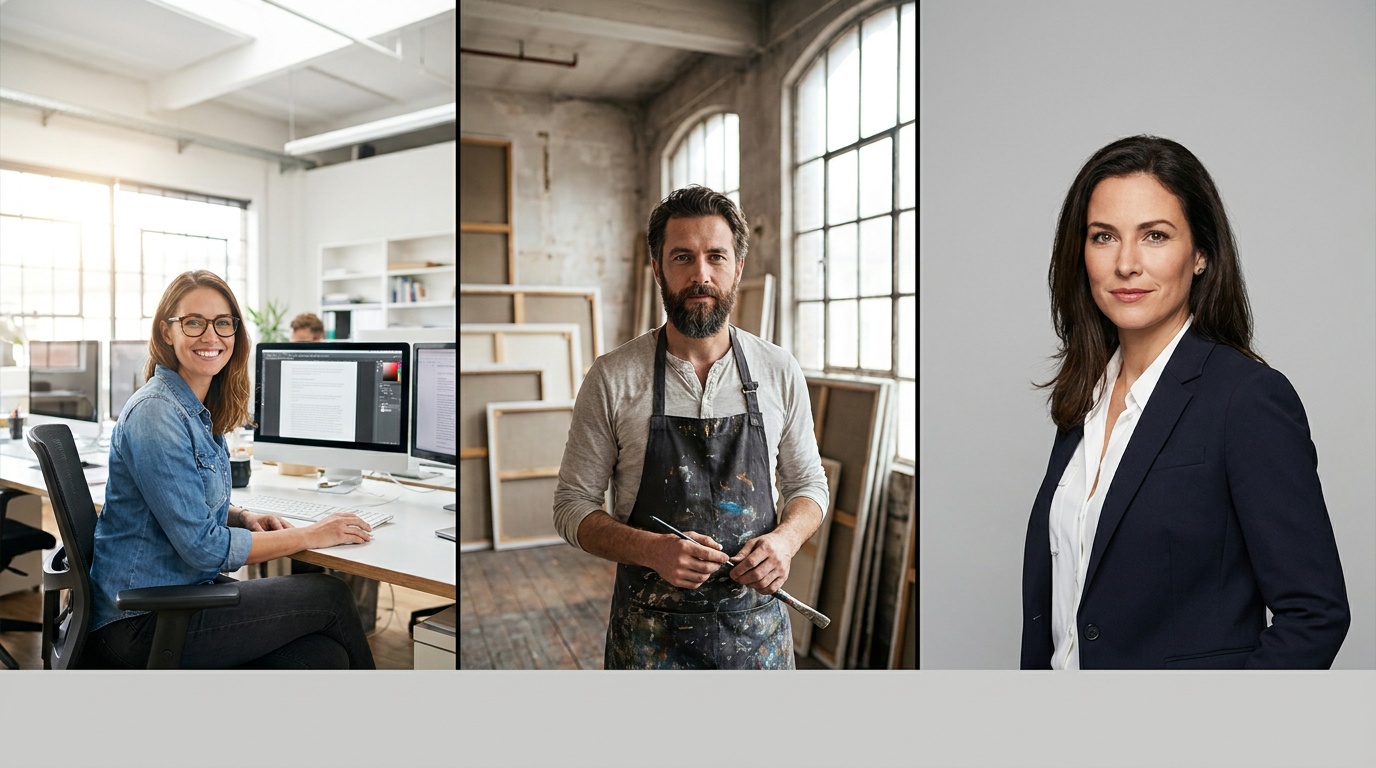
The Creative Pro: Artists, Designers, and Writers
For creative professionals, a headshot is a direct extension of your portfolio. It needs to scream originality, approachability, and, of course, creativity. You want a potential client or collaborator to look at your photo and think, “This person has a unique point of view.”
What Makes It Work
- Lighting: Forget harsh, flat corporate lighting. Opt for styles that mimic natural or atmospheric light. Think “Golden Hour” for warmth and dreaminess, or a soft “Window Light” effect for an intimate, thoughtful feel. This type of lighting often creates soft shadows that add depth and character, a technique photographers use to make a portrait feel more organic and less staged.
- Backgrounds: A sterile office is the enemy. Choose AI-generated backgrounds with texture and personality. An out-of-focus art studio, a clean brick wall, a lush botanical setting, or even a simple, textured canvas can frame you in a creative context.
- Clothing & Posing: This is your chance to let your personality show. Think stylish but not distracting. A simple black turtleneck, a denim jacket, a unique pair of glasses, or a well-loved linen shirt. Poses can be more relaxed—a slight smile, a thoughtful glance away from the camera, or a more engaged, laughing expression. The key is to look comfortable and confident in your own skin.
Crafting Your Creative AI Headshot
- Source Photo: Upload a selfie where you feel relaxed. Natural light from a window is your best friend. Don't force a huge smile; a subtle, confident expression or even a serious, pensive look can be very powerful for a creative.
- AI Style Selection: Look for prompts like “Natural Light,” “Golden Hour,” “Editorial,” or “Black and White.” Black and white, in particular, can create a timeless, artistic, and dramatic portrait that focuses entirely on expression.
- Common Mistake to Avoid: Trying to be too quirky. A headshot that's overly theatrical or uses distracting props can read as amateurish. The focus should always be on you, not the concept.
The Tech Innovator: Developers, Engineers, and PMs
In the tech world, your headshot needs to balance on a fine line. It should project intelligence and competence without appearing cold or unapproachable. The goal is to look like a smart, capable person you’d want on your team—innovative, reliable, and collaborative.
What Makes It Work
- Lighting: Clean, crisp, and modern. Think of the lighting in an Apple keynote. It’s bright and even, conveying clarity and focus. In AI terms, look for “Studio Light” or “Business” styles, but select options that use softboxes rather than harsh, direct flashes. This avoids sharp, unflattering shadows.
- Backgrounds: Keep it clean and uncluttered. A modern, minimalist office with glass walls, a simple light grey or dark blue studio backdrop, or even a subtly blurred-out server rack or whiteboard can provide context without being distracting.
- Clothing & Posing: Smart casual is the industry standard. A high-quality, well-fitting t-shirt in a solid color (like charcoal or navy), a button-down shirt without a tie, or a clean crewneck sweater works perfectly. For your pose, direct eye contact is crucial. A genuine, slight smile conveys confidence and approachability. A slight head tilt can make you seem more engaging.
Crafting Your Tech AI Headshot
- Source Photo: A clear, forward-facing selfie is ideal. Make sure your face is evenly lit and in sharp focus. The AI needs good data to render your features accurately.
- AI Style Selection: Choose styles labeled “Corporate,” “Tech,” or “Modern.” Don’t be afraid to try a “Black and White” option for a classic, intellectual vibe that highlights competence.
- Common Mistake to Avoid: Looking stiff. Many tech professionals default to a serious, passport-photo expression. Practice a relaxed, confident smile in your source photos. It makes a world of difference.
The Entrepreneur: Founders, Consultants, and Leaders
As an entrepreneur or founder, you are the brand. Your headshot isn’t just a photo; it’s a statement of intent. It needs to communicate authority, trustworthiness, and vision. People are investing in you as much as your idea, and your headshot is your first pitch.
What Makes It Work
- Lighting: You have two great options: powerful and dramatic, or open and trustworthy. For a powerful look, choose “Magazine Cover” or “Editorial” styles that use techniques like Rembrandt lighting (a small triangle of light on the cheek) to create a sculpted, high-impact image. For a more open feel, a bright, clean “Studio” look works wonders.
- Backgrounds: Your background should reinforce your brand. A sleek, high-rise office view suggests success and ambition. A clean, minimalist background puts the focus entirely on you and your confident expression. An out-of-focus urban environment can signal that you’re dynamic and on the move.
- Clothing & Posing: Dress the part. This means sharp, tailored pieces. A well-fitted blazer, a crisp dress shirt, or a structured blouse. The AI is excellent at rendering these textures. Your pose should be strong—shoulders back, chin level. A classic three-quarter turn is flattering for most people, while a direct-to-camera pose exudes confidence.
Crafting Your Founder AI Headshot
- Source Photo: Take a selfie from a slightly low angle. Photographers often use this trick to make a subject appear more powerful and confident. Look directly into the lens.
- AI Style Selection: Experiment with “CEO,” “Magazine,” or “Power” styles. Generate a few options to see whether a serious, determined look or a confident, knowing smile better suits your personal brand.
- Common Mistake to Avoid: Arrogance over confidence. There's a fine line between a powerful expression and a smug one. Ensure your eyes look engaged and your smile (if you have one) reaches your eyes. You want to look like a leader, not a villain.
Upload a photo, pick a look and get your portrait in a minute. Your face stays yours.
Try itYour Guide to the Best AI Headshot Examples for Different Professions
Generating the perfect AI headshot is a process of curation. You're not just clicking a button; you're directing a virtual photoshoot. Here’s a checklist to guide you from selfie to stunning professional portrait.
Step 1: Define Your Brand Adjectives
Before you upload anything, write down 3-5 words you want your headshot to communicate. Examples:
- Therapist: Warm, empathetic, trustworthy, calm.
- Sales Executive: Confident, energetic, polished, persuasive.
- Architect: Precise, creative, modern, thoughtful.
These words will be your guide for choosing the right style, background, and expression.
Step 2: Master Your Source Photos
Garbage in, garbage out. The quality of your AI headshot is directly tied to the quality of the photos you provide. For best results, your uploaded selfies should have:
- Good Lighting: Face a window for soft, even, natural light. Avoid overhead lights that cause shadows under your eyes.
- Simple Background: Stand against a plain wall. This helps the AI isolate you cleanly.
- Clear Face: No sunglasses, hats, or hair obscuring your face. The AI needs to see your features clearly.
- Variety: Upload 5-10 photos with slightly different expressions—a small smile, a closed-mouth smile, a neutral look. This gives the AI more data to create a natural-looking result.
Step 3: Curate, Don't Just Accept
AI headshot generators like Portretto will provide a large batch of images. Your job is to be the editor. Don't just pick the first one you like. Go through them with a critical eye.
- Check the Eyes: Do they look realistic and have a natural sparkle? This is often the biggest giveaway of a poor-quality AI photo.
- Inspect the Details: Look at the rendering of hair, skin texture, and hands (if visible). The best results are nearly indistinguishable from reality.
- Compare to Your Adjectives: Does the final image align with the brand words you chose in Step 1? Ask a trusted colleague for their honest opinion.
A great professional headshot is a strategic asset. By understanding the subtle cues of lighting, background, and expression, you can guide AI to create a portrait that not only looks like you but also works for you, opening doors and making the right first impression every time.
FAQ
Can I use an AI headshot on LinkedIn?
Absolutely. LinkedIn is the perfect platform for a professional AI-generated headshot. As long as the image is a clear and accurate representation of you and aligns with the professional standards of your industry, it's an excellent way to present a polished and current image.
How can I make my AI headshot look more realistic?
The key to a realistic AI headshot is providing high-quality source photos. Use clear, well-lit selfies taken in natural light against a simple background. Uploading a variety of photos with different expressions also helps the AI create a more natural and authentic result.
What should I wear in my selfies for an AI headshot generator?
Wear a simple, solid-colored, form-fitting top like a t-shirt or tank top. The AI will replace the clothing in the final image, but a simple outfit helps it accurately map your shoulders and neckline without confusing patterns or bulky layers.
How many different headshots does a professional need?
It's wise to have 2-3 distinct headshots. Consider having one formal, classic portrait for corporate bios or résumés, a more approachable and casual one for social networks like LinkedIn, and potentially a creative or editorial-style shot for speaker profiles or personal websites.
Do AI headshots work for every profession?
Yes, they do. The versatility of AI allows you to customize every element to fit your specific field. Whether you're a doctor needing a trustworthy portrait or a musician needing an artistic one, you can select the right lighting, attire, and background to build the perfect professional identity.