Best Expressions for Professional Headshots: A Guide
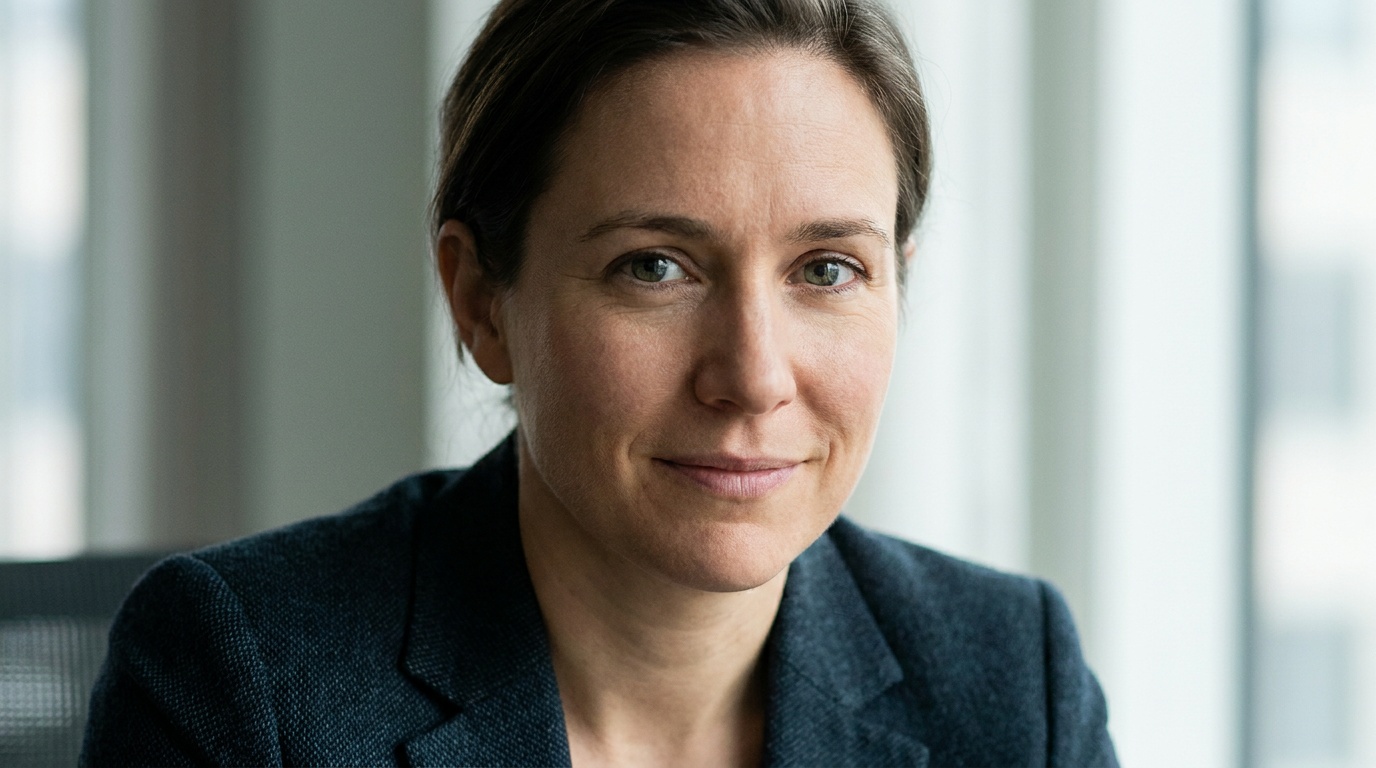
Getting a professional headshot can feel as awkward as a first date, and the pressure to get it right is immense. We often overthink it, ending up with a stiff, unnatural photo that feels like a stranger is wearing our face. The secret to the best expressions for professional headshots isn't a complicated formula; it's about projecting genuine confidence from the inside out, especially when you're just taking a selfie to upload for an AI generator.
As a portrait photographer, I've spent years guiding people to find that sweet spot between 'rabbit in the headlights' and 'over-the-top cheesy.' The same principles apply whether you're in my studio or in your living room pointing a phone at your face. Let's break down how to capture an expression that makes your final AI headshot look authentic, competent, and unmistakably you.
The AI Blueprint: Why Your Selfie's Expression Is Crucial
First, a quick peek under the hood. When you upload a selfie to an AI photo studio, the algorithm doesn't just slap your face onto a stock photo. It meticulously analyzes the data in your image—the precise shape of your eyes, the subtle curve of your mouth, the tension in your jaw, the unique way light falls on your bone structure. This analysis becomes the blueprint for every headshot it generates.
The AI is brilliant at changing your clothes, putting you in a sleek office or against a textured studio backdrop, and perfecting the lighting. What it can't do is invent a new core expression for you. If you upload a photo with a tense, forced smile and vacant eyes, the AI will faithfully reproduce that tense, vacant look across dozens of otherwise polished headshots. Garbage in, garbage out.
This is also why it's so important that the AI preserves your identity. The magic of a tool like Portretto is that it uses your real facial data to ensure the final image looks like you, just on your best day. Your job is to provide the absolute best source material, giving the AI a foundation of genuine confidence to build upon.
Before the Flash: Preparing Your Mind and Face
Long before you even think about camera angles, the best work happens internally. The difference between a good headshot and a great one is almost always mental preparation. Stop thinking, "I need to take a selfie," and start thinking, "I am sitting for my portrait."
Find Your 'Why'
Why do you need this headshot? Are you a founder seeking investment? A consultant aiming to project authority? A recent graduate trying to look both professional and approachable? Hold that specific intention in your mind. If you want to look authoritative, channel the feeling of closing a major deal or solving a complex problem. If you want to look approachable, think about explaining a topic you love to a good friend. Your thoughts will translate directly to the micro-expressions on your face.
Warm Up Your Instrument
Your face is a collection of muscles, and just like any muscle, they can get stiff. A tense face leads to a tense photo. Before you start shooting, do a quick facial workout to loosen up. It might feel silly, but I make all my clients do this.
- Open your mouth as wide as you can, like a lion's roar, then relax.
- Raise your eyebrows as high as they'll go, hold for five seconds, then release.
- Scrunch up your entire face—eyes, nose, mouth—into a tight ball, then let it all go.
- Gently massage your jaw muscles with your fingertips.
This simple routine relaxes the muscles that betray stress and makes it easier to find a natural, composed expression.
Mastering the Best Expressions for Professional Headshots
Let's move beyond the generic command to "smile." A professional headshot requires more nuance. There are a few key expressions I rely on in the studio, and you can master them at home.
The Confident Smile (Not the Cheesy Grin)
This is the hardest one to get right. The difference between a genuine, confident smile and a fake, people-pleasing one is all in the eyes. The secret? The "squinch."
Coined by photographer Peter Hurley, the squinch involves slightly squinting your eyes by raising your lower eyelids. It’s not a full squint, just a slight tightening. Look in the mirror and try it. A wide-eyed smile can look fearful or vacant. A squinched smile looks focused, engaged, and confident. It's the expression of someone who knows what they're doing.
For your mouth, forget saying "cheese." That word forces your mouth into an unnatural shape. Instead, try thinking of a genuinely funny memory or a private joke. Let a smile bloom naturally. It can be closed-mouth or show a little bit of your top teeth. The key is that the feeling behind it is real.
The Approachable & Competent Look
This is my go-to for most corporate and LinkedIn profiles. It’s friendly without being overly casual. The expression is built on a very slight, closed-mouth smile—just enough to lift the corners of your mouth so you don't look grim. It signals warmth and openness.
Pair this subtle smile with engaged, open eyes. Imagine you're listening intently to a respected colleague. Your eyes are focused, you're nodding along, you're present. This combination reads as competent, trustworthy, and easy to work with.
The Authoritative Expression
For leaders, lawyers, or anyone in a position of authority, a non-smiling expression can be incredibly powerful. But there's a fine line between authoritative and angry. The key is to keep your mouth neutral and relaxed—not a frown, not a smile. Let your eyes do all the talking.
This is where the squinch becomes a power tool. A direct gaze into the lens, combined with a slight squinch, conveys intense focus and decisiveness. It says, "I am serious, I am in control, and I have the answers."
A photographer's secret for every expression: To instantly define your jawline and eliminate a double chin, press your tongue firmly against the roof of your mouth. It feels strange, but it works wonders by tightening the muscles under your chin.
Upload a photo, pick a look and get your portrait in a minute. Your face stays yours.
Try itYour Home Studio Setup for the Perfect Selfie
Now that you know the expression you're after, let's nail the technicals. A great expression can be ruined by bad lighting or a poor angle.
Lighting is Everything
Good lighting is soft, diffused, and comes from the front. The best and cheapest source is a window on an overcast day. Position yourself so you are facing the window directly. The soft light will smooth out your skin and create a beautiful catchlight in your eyes, making them look vibrant and alive.
What to avoid at all costs:
- Direct, harsh sunlight: Creates hard shadows and makes you squint.
- Overhead lighting (e.g., ceiling lights): Creates dark shadows under your eyes, nose, and chin ("raccoon eyes").
- Light from below: The classic horror movie lighting. It's universally unflattering.
If you don't have a good window, you can use a lamp. Place it in front of you, slightly above eye level. To soften the light, you can bounce it off a white wall or piece of foam board. Never use your phone's built-in flash.
Camera, Angle, and Distance
Camera: Use your phone's back camera. It has a much higher quality sensor and lens than the front-facing selfie camera. Set your phone on a stack of books or a tripod and use the self-timer (3 or 10 seconds) to give yourself time to pose.
Angle: The camera should be at eye level or very slightly above it. This is the most flattering angle for a portrait. Shooting from below is a critical mistake—it emphasizes your chin and nostrils and makes you look bigger than you are. Shooting from too high can make you look diminutive.
Distance: Don't hold the phone close to your face. The wide-angle lenses on phones distort features, making your nose look bigger and your eyes look smaller. The ideal solution is to place your phone a few feet away and stand or sit at a comfortable distance. This mimics the compression of a real portrait lens and results in a more natural-looking face.
Background and Clothing
For an AI headshot input, simplicity is best.
- Background: Stand in front of a plain, neutral-colored wall (white, grey, beige). A busy background with patterns or objects can confuse the AI. The background will be replaced anyway, so give the AI a clean slate to work with.
- Clothing: Wear a simple, solid-colored shirt with a clean neckline, like a crew neck or a shallow V-neck. Avoid busy patterns, stripes, and large logos. Most importantly, avoid turtlenecks or high collars that obscure your jaw and neckline. The AI needs to clearly see the shape of your head, neck, and shoulders to realistically place you in new outfits.
The Selfie Checklist for Flawless AI Headshots
Before you press the shutter, run through this final checklist.
Mental Prep:
- [ ] I know the specific confident feeling I want to project.
- [ ] My facial muscles are relaxed and warmed up.
- [ ] I am thinking, "This is my portrait session."
Technical Setup:
- [ ] I am facing a large, soft light source (like a window).
- [ ] The camera is positioned at or slightly above my eye level.
- [ ] I am using the back camera with a self-timer.
- [ ] The phone is at least an arm's length away, preferably more.
- [ ] My background is plain and uncluttered.
- [ ] I am wearing a solid-colored top with an open neckline.
Posing and Expression:
- [ ] My chin is slightly down and forward (the "turtle").
- [ ] I am looking directly into the camera lens, not the screen.
- [ ] My eyes are "squinched" just a little.
- [ ] My smile (or lack thereof) feels genuine.
- [ ] My tongue is pressed to the roof of my mouth.
Common Mistakes to Avoid
| Mistake | Why It's Bad for AI | How to Fix It |
|---|---|---|
| The Forced "Cheese" Smile | The AI will replicate the inauthenticity, making your smile look fake across all photos. The eyes will appear vacant. | Think of something genuinely funny or heartwarming. Let the smile be subtle and focus on making it reach your eyes with a "squinch." |
| Looking Away from the Lens | The AI needs clear, direct data from both eyes to properly map and render your face. Averting your gaze results in errors. | Find the tiny camera lens on your phone and stare directly into it. Pretend it's the eye of a person you respect. |
| The "Selfie Face" or Duckface | This is a caricature, not a professional expression. It creates a strained, unnatural look that the AI will treat as your real face. | Breathe, relax your jaw, and let your lips rest in a neutral position or a gentle, natural smile. |
| Hair Obscuring Your Face | The AI needs to see the full shape of your face, forehead, and ideally your ears to create a realistic head shape. | Pull your hair back from your face. A simple, neat hairstyle is best for the input photo, even if you want different styles in the output. |
| Using an Old Photo | Resolution might be low, and more importantly, your face changes. Using a 5-year-old photo will give you a headshot that doesn't look like you. | Always take a new, high-quality photo specifically for this purpose. It only takes 10 minutes and makes all the difference. |
From Selfie to Studio Portrait
Capturing the perfect selfie for your AI headshot is an act of self-direction. It's about combining the mindset of an actor, the eye of a photographer, and a little bit of technical know-how. By focusing on a genuine expression, preparing your face, and controlling your environment, you give the AI the highest quality data to work with.
Once you've captured a few great options using these techniques—some with a confident smile, others with an authoritative gaze—you have the perfect raw material. Uploading your best shots to a service like Portretto is the final step. The AI takes your well-crafted expression and multiplies its potential, placing your authentic, confident self into dozens of professional settings and styles. You've done the hard part by providing a great blueprint; now let the technology build the house.
Taking control of this process is empowering. You are no longer a passive subject hoping a photographer gets a lucky shot. You are the architect of your own professional image.
FAQ
Should I smile with teeth in a professional headshot?
It depends on your personality and profession. A closed-mouth smile is often considered safer and more versatile. However, a genuine smile showing teeth can convey warmth and approachability, which is excellent for client-facing roles. The most important thing is that the smile looks authentic and reaches your eyes.
How do I look confident but not arrogant in my headshot?
Confidence is conveyed through the eyes, while arrogance often comes from posture. Use a slight squint (a "squinch") to show focus, and keep your expression neutral or gently smiling. Avoid tilting your chin up, which can read as arrogant. Keep your chin level or slightly down for a grounded, confident look.
What is the best facial expression for a LinkedIn headshot?
For LinkedIn, the goal is to look competent, professional, and approachable. A warm, closed-mouth smile paired with engaged, focused eyes is almost always a winning combination. Your expression should ultimately align with your industry's norms—a creative director may have a different look than a financial analyst.
Can I use a selfie where I'm not looking at the camera for an AI headshot?
No, for the best results with an AI headshot generator, you must be looking directly into the camera lens. The AI software needs a clear, frontal view of your face and direct eye contact to accurately map your features and create a realistic, forward-facing portrait.
How do I stop looking so awkward in photos?
Awkwardness often comes from tension and uncertainty. The best way to combat this is with preparation. Warm up your facial muscles, think about the specific emotion you want to convey, and give your body something to do—like pressing your tongue to the roof of your mouth to define your jawline. Taking many shots and experimenting will help you find what feels and looks natural.